# Training a captcha solver by reading the generator instead of the images

> Ticketmaster PH and SG gate add-to-cart with a 4 letter captcha. It comes from Yii, which is open source, so I ported the generator and trained a small ONNX model on captchas I render myself.

- Author: glizzykingdreko
- Published: 2026-10-06
- Tags: captcha, ticketmaster, yii, machine-learning, onnx, ocr, reverse-engineering, ticketing
- URL: https://takionapi.tech/blog/ticketmaster-yii-captcha-solver

---

[Ticketmaster PH (Philippines)](https://ticketmaster.ph), exactly like [Ticketmaster SG (Singapore)](https://ticketmaster.sg), puts a 4 letter image captcha on some actions, like adding a ticket to cart. Instead of throwing a generic OCR at it, I ported the captcha generator to Python and trained a small model on captchas I render locally.

- [Download the models](https://github.com/glizzykingdreko/ticketmaster-yii-captcha/releases)
- [Start bypassing antibots](https://takionapi.tech/trial)

## Where it shows up

After picking a ticket, the ATC lands you on `/ticket/check-captcha/.../.../.../...` and you get the captcha. 4 letters, white on blue, 120x100.

![A real captcha from the ATC page](https://takionapi.tech/blog/ticketmaster-yii-captcha-solver/tm_screen.png)


## The Oracle

When working in this kind of situations, for training an ML model for a specific type of challenge, you obv need a way to verify that your current output is correct, therefore you need an **oracle**.

### The website

In this situation the most logic, but as well slower and more expensive in terms of time and money solution would have been making a parallel script that enters the website, initializes the session and solves the antibots, adds a product to cart, and validates a captcha each time.

<figure>
<svg viewBox="0 0 580 140" role="img" aria-label="Using the website as the oracle: a fresh session behind a proxy, the antibot solved, a product added to cart, the captcha page, a guess submitted, and the site answers yes or no. One label per run, then the whole run starts again." style="max-width:100%;height:auto;color:inherit">
  <defs><marker id="o1" viewBox="0 0 10 10" refX="9" refY="5" markerWidth="6" markerHeight="6" orient="auto-start-reverse"><path d="M0,0 L10,5 L0,10 z" fill="currentColor"/></marker></defs>
  <g stroke="currentColor" fill="none" stroke-width="1.2">
    <rect x="0" y="30" width="128" height="46" rx="4"/>
    <rect x="150" y="30" width="128" height="46" rx="4"/>
    <rect x="300" y="30" width="128" height="46" rx="4"/>
    <rect x="450" y="30" width="128" height="46" rx="4"/>
  </g>
  <g font-size="11" fill="currentColor" text-anchor="middle">
    <text x="64" y="51">fresh session</text>
    <text x="64" y="65">proxy, antibot solved</text>
    <text x="214" y="51">add to cart</text>
    <text x="214" y="65">reach the captcha</text>
    <text x="364" y="51">read it</text>
    <text x="364" y="65">submit a guess</text>
    <text x="514" y="51">the site answers</text>
    <text x="514" y="65">right or wrong</text>
  </g>
  <g stroke="currentColor" fill="none" stroke-width="1.2" marker-end="url(#o1)">
    <line x1="128" y1="53" x2="146" y2="53"/>
    <line x1="278" y1="53" x2="296" y2="53"/>
    <line x1="428" y1="53" x2="446" y2="53"/>
  </g>
  <text x="290" y="16" font-size="11" fill="#f59e0b" text-anchor="middle">every label costs a proxy usage and time</text>
  <polyline points="514,76 514,104 64,104 64,76" stroke="currentColor" stroke-width="1.2"
            fill="none" marker-end="url(#o1)" stroke-dasharray="4 3"/>
  <text x="290" y="124" font-size="11" fill="currentColor" text-anchor="middle" opacity="0.75">1 label, then the whole run again</text>
</svg>
</figure>

Even if this is the safest and most reliable solution most of the times, in this case it would have took extremely lot of time and resources.

### A vision model 

Another option would have been pulling a big quantity of captchas from the website by using

```python
"https://ticketmaster.ph/ticket/captcha?v=1" # On each refresh a new captcha is returned
```

And then use an **external oracle** such as a vision model or even human classification for validating each output of our model.

<figure>
<svg viewBox="0 0 580 124" role="img" aria-label="Using an external oracle: pull a captcha from the endpoint, hand the image to a vision model or a human, and get back a label that is sometimes right and sometimes wrong." style="max-width:100%;height:auto;color:inherit">
  <defs><marker id="o2" viewBox="0 0 10 10" refX="9" refY="5" markerWidth="6" markerHeight="6" orient="auto-start-reverse"><path d="M0,0 L10,5 L0,10 z" fill="currentColor"/></marker>
  <marker id="o2w" viewBox="0 0 10 10" refX="9" refY="5" markerWidth="6" markerHeight="6" orient="auto-start-reverse"><path d="M0,0 L10,5 L0,10 z" fill="#f59e0b"/></marker></defs>
  <g stroke="currentColor" fill="none" stroke-width="1.2">
    <rect x="0" y="26" width="128" height="44" rx="4"/>
    <rect x="296" y="26" width="136" height="44" rx="4"/>
    <rect x="470" y="12" width="110" height="30" rx="4"/>
  </g>
  <rect x="470" y="54" width="110" height="30" rx="4" stroke="#f59e0b" fill="none" stroke-width="1.2"/>
  <rect x="166" y="24" width="92" height="48" fill="#00467f"/>
  <text x="212" y="58" font-size="20" fill="#ffffff" text-anchor="middle" font-family="monospace">vhkq</text>
  <g font-size="11" fill="currentColor" text-anchor="middle">
    <text x="64" y="46">pull a captcha</text>
    <text x="64" y="61" font-size="10" font-family="monospace">/ticket/captcha</text>
    <text x="364" y="46">a vision model</text>
    <text x="364" y="61">or a human reads it</text>
  </g>
  <text x="508" y="33" font-size="13" fill="currentColor" text-anchor="middle" font-family="monospace">vhkq</text>
  <text x="556" y="33" font-size="12" fill="currentColor" text-anchor="middle">✓</text>
  <text x="508" y="75" font-size="13" fill="#f59e0b" text-anchor="middle" font-family="monospace">vhkg</text>
  <text x="556" y="75" font-size="12" fill="#f59e0b" text-anchor="middle">✗</text>
  <g stroke="currentColor" fill="none" stroke-width="1.2" marker-end="url(#o2)">
    <line x1="128" y1="48" x2="162" y2="48"/>
    <line x1="258" y1="48" x2="292" y2="48"/>
    <line x1="432" y1="48" x2="466" y2="29"/>
  </g>
  <line x1="432" y1="48" x2="466" y2="67" stroke="#f59e0b" stroke-width="1.2" fill="none" marker-end="url(#o2w)"/>
  <text x="212" y="88" font-size="10" fill="currentColor" text-anchor="middle" opacity="0.75">no label yet</text>
  <text x="364" y="88" font-size="10" fill="#f59e0b" text-anchor="middle">costs a call, or your time</text>
  <text x="580" y="104" font-size="11" fill="#f59e0b" text-anchor="end">and error labeling are possible</text>
</svg>
</figure>

A way slower and maybe even more expensive.


So, I started checking the WAF page source.

## It's an open source Captcha

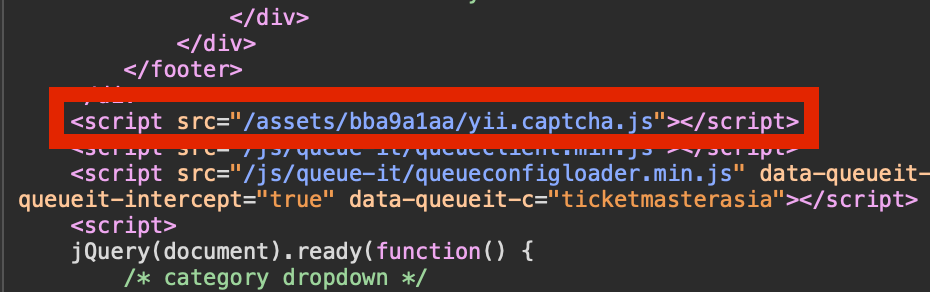
Let's take a look at the script that loads it:
![Yii script tag](https://takionapi.tech/blog/ticketmaster-yii-captcha-solver/yii_script.png)

```
https://ticketmaster.ph/assets/bba9a1aa/yii.captcha.js
```

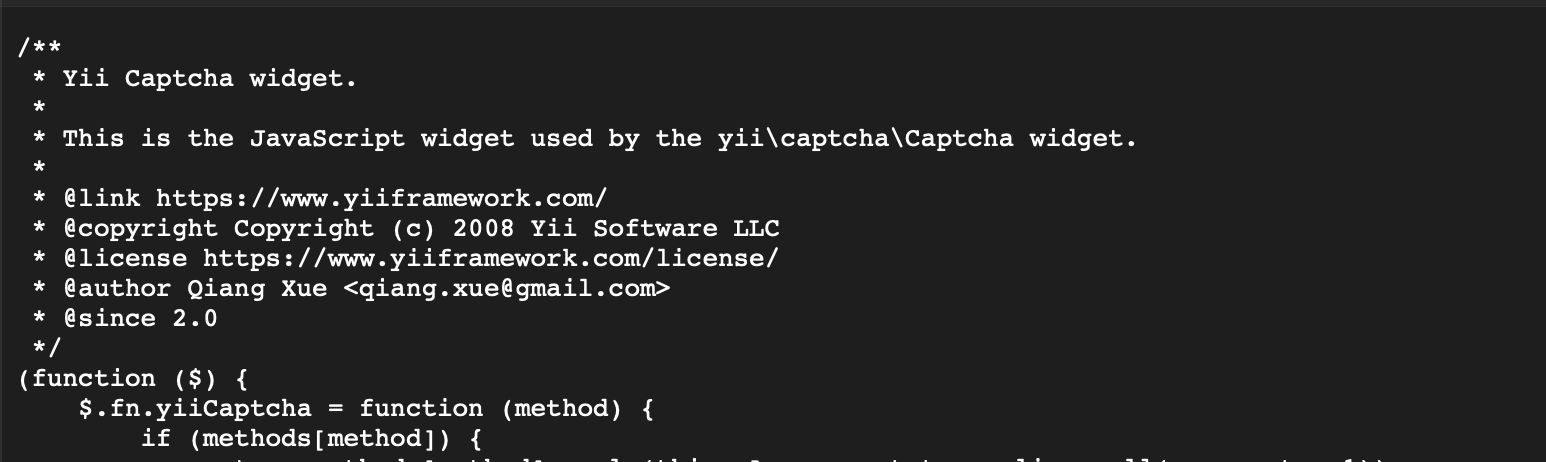
It presents itself as the "Yii Captcha widget". 
![Yii script header](https://takionapi.tech/blog/ticketmaster-yii-captcha-solver/yii_script_header.png)


By searching it on google, comes out that the captcha is [Yii2](https://github.com/yiisoft/yii2/tree/master/framework/captcha), and Yii2 is open source, which means I can read the function that draws it and port it to a local script: [`CaptchaAction::renderImageByGD`](https://github.com/yiisoft/yii2/blob/db5ff801c63c37e8f8bf4143026804c90a00102e/framework/captcha/CaptchaAction.php#L274).

```php
$x = 10;
$y = round($this->height * 27 / 40);
for ($i = 0; $i < $length; ++$i) {
    $fontSize = (int) (rand(26, 32) * $scale * 0.8);
    $angle = rand(-10, 10);
    $letter = $code[$i];
    $box = imagettftext($image, $fontSize, $angle, $x, $y, $foreColor, $this->fontFile, $letter);
    $x = $box[2] + $this->offset;
}
```

Per letter: a random size between 26 and 32, a random tilt between -10 and 10 degrees, then move right. 
![Yii source code](https://takionapi.tech/blog/ticketmaster-yii-captcha-solver/yii_source_code.png)

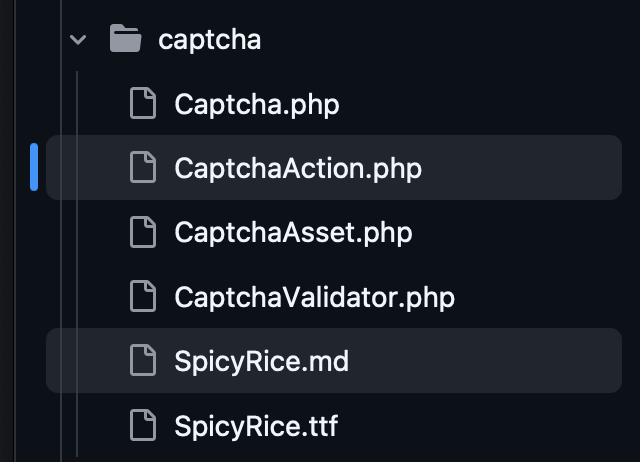
The font is **SpicyRice**. Stock Yii draws 6 to 7 letters from `bcdfghjklmnpqrstvwxyz` and mixes vowels in. The captchas I sampled on Ticketmaster were 4 consonants, so the generator uses `bcdfghjklmnpqrstvwyz`, which gives 160,000 possible codes.

Comparing Yii defaults with the target, they changed 5 things (on the TM implementation, guessed by analyzing some loaded captchas):

| Setting | Yii default | Ticketmaster PH / SG |
|---|---|---|
| Image size | 120x50 | 120x100 |
| Background | white `#FFFFFF` | `#00467f` |
| Letters color | `#2040A0` | white |
| Code length | 6 to 7 | 4 |
| Letters | consonants and vowels | consonants only |

### Porting it

From there it is a direct translation into Pillow:

```python
def render(code, random):
    # CaptchaAction::renderImageByGD ported from PHP
    image = Image.new("RGB", (WIDTH, HEIGHT), BACK_COLOR)
    ...
    for letter in code:
        point_size = int(random.randint(26, 32) * scale * 0.8)
        angle = random.randint(-10, 10)
        # each glyph is drawn on its own layer so it can spin around the baseline origin
        layer = Image.new("L", (pad * 2, pad * 2), 0)
        ImageDraw.Draw(layer).text((pad, pad), letter, font=load_font(point_size), fill=255, anchor="ls")
        if angle:
            layer = layer.rotate(angle, resample=Image.BICUBIC, center=(pad, pad))
        image.paste(FORE_COLOR, (x - pad, y - pad), layer)
        # gd advances to the x of the rotated lower right corner, which is not the widest one
        left, top, right, bottom = glyph_box(point_size, letter)
        radian = radians(angle)
        x = x + int(round(right * cos(radian) + bottom * sin(radian))) + OFFSET
    return image
```

`python generator.py` opens a random one in your image viewer, and `sample()` gives you `(code, image)` pairs from a seed.

Six of them, created locally:

<div class="img-grid">
  <img src="https://takionapi.tech/blog/ticketmaster-yii-captcha-solver/captcha_0.jpeg" alt="Captcha rendered by the Python port" />
  <img src="https://takionapi.tech/blog/ticketmaster-yii-captcha-solver/captcha_1.jpeg" alt="Captcha rendered by the Python port" />
  <img src="https://takionapi.tech/blog/ticketmaster-yii-captcha-solver/captcha_2.jpeg" alt="Captcha rendered by the Python port" />
  <img src="https://takionapi.tech/blog/ticketmaster-yii-captcha-solver/captcha_3.jpeg" alt="Captcha rendered by the Python port" />
  <img src="https://takionapi.tech/blog/ticketmaster-yii-captcha-solver/captcha_4.jpeg" alt="Captcha rendered by the Python port" />
  <img src="https://takionapi.tech/blog/ticketmaster-yii-captcha-solver/captcha_5.jpeg" alt="Captcha rendered by the Python port" />
</div>

### Training on captchas I render myself

Now there is no dataset to collect. Every training step renders a fresh batch in memory and the labels are the codes I asked for, so no proxies, no requests to the site, no manual labelling.

<figure>
<svg viewBox="0 0 580 160" role="img" aria-label="The training loop: pick a random code, render it as a captcha with the ported generator, let the model read the image back, compare its four letters with the code that was picked, correct the model and repeat." style="max-width:100%;height:auto;color:inherit">
  <defs><marker id="c1" viewBox="0 0 10 10" refX="9" refY="5" markerWidth="6" markerHeight="6" orient="auto-start-reverse"><path d="M0,0 L10,5 L0,10 z" fill="currentColor"/></marker></defs>
  <g stroke="currentColor" fill="none" stroke-width="1.2">
    <rect x="0" y="34" width="104" height="40" rx="4"/>
    <rect x="136" y="34" width="104" height="40" rx="4"/>
    <rect x="390" y="34" width="86" height="40" rx="4"/>
    <rect x="508" y="34" width="72" height="40" rx="4"/>
  </g>
  <rect x="272" y="28" width="86" height="52" fill="#00467f"/>
  <text x="315" y="64" font-size="24" fill="#ffffff" text-anchor="middle" font-family="monospace">dzzy</text>
  <g font-size="12" fill="currentColor" text-anchor="middle">
    <text x="52" y="58">pick a code</text>
    <text x="188" y="58">render it</text>
    <text x="433" y="58">the model</text>
  </g>
  <text x="544" y="59" font-size="14" fill="currentColor" text-anchor="middle" font-family="monospace">dzzy</text>
  <g stroke="currentColor" fill="none" stroke-width="1.2" marker-end="url(#c1)">
    <line x1="104" y1="54" x2="132" y2="54"/>
    <line x1="240" y1="54" x2="268" y2="54"/>
    <line x1="358" y1="54" x2="386" y2="54"/>
    <line x1="476" y1="54" x2="504" y2="54"/>
  </g>
  <text x="52" y="20" font-size="11" fill="#f59e0b" text-anchor="middle" font-family="monospace">dzzy</text>
  <text x="52" y="96" font-size="11" fill="currentColor" text-anchor="middle" opacity="0.75">the answer</text>
  <text x="544" y="96" font-size="11" fill="currentColor" text-anchor="middle" opacity="0.75">its guess</text>
  <polyline points="544,102 544,128 433,128 433,78" stroke="currentColor" stroke-width="1.2"
            fill="none" marker-end="url(#c1)" stroke-dasharray="4 3"/>
  <text x="570" y="150" font-size="11" fill="currentColor" text-anchor="end" opacity="0.75">same 4 letters? if not, correct the model and go again</text>
</svg>
</figure>

Pillow and GD do not draw exactly the same pixels, so the training images get a light blur, a brightness jitter and some noise on top. That keeps the model from learning edges that only Pillow produces. Validation runs on 3000 captchas from a different seed than the training ones.

The model is a small CNN reading the image as 4 slots of 20 letters. Open `trainer.py`, set `RELEASE`, run it:

```bash
python trainer.py micro
```

```
[3] Training for 300 steps
    step   100/300  loss 2.4031  full  15.87%  per letter  63.98%     5s
    step   200/300  loss 0.3797  full  89.83%  per letter  96.82%     8s
    step   300/300  loss 0.1542  full  94.07%  per letter  98.12%    11s
```

`full` is the share of captchas with all 4 letters right, the number that matters. `per letter` just shows how far off the misses are. That run took 11 seconds. The default 4000 steps take a few minutes on an M4 Max.

You get 2 files: a `.pt` to resume training from, and a `.onnx` the solver uses, so production needs ONNX Runtime and not PyTorch.

## The models

3 sizes, same structure, the last layers are wider each time:

| Release | Parameters | ONNX size | Accuracy | Speed per solve |
|---------|------------|-----------|----------|-----------------|
| `pico`  | 45,488     | 186 KB    | 99.19%   | 0.60ms          |
| `nano`  | 59,744     | 243 KB    | 99.49%   | 0.61ms          |
| `micro` | 139,808    | 563 KB    | 99.87%   | 0.65ms          |

Accuracy is full codes on 20,000 fresh captchas from `benchmark.py`, speed is the median of 900 solves on 1 CPU thread of an M4 Max. Those captchas come from my port of the generator, not from Ticketmaster itself, so real ones may score a bit differently.

So why 3 models you may ask... can't a guy just have fun?

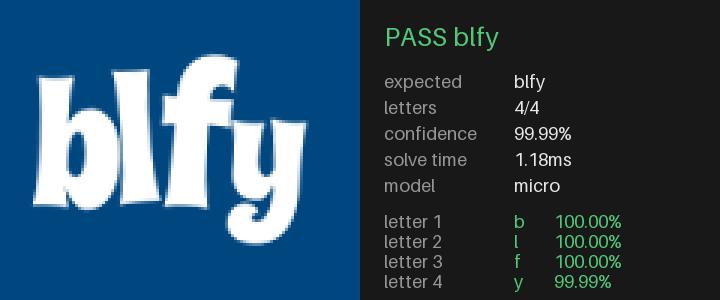
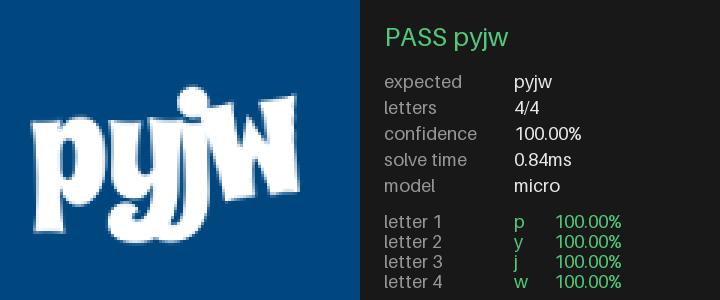
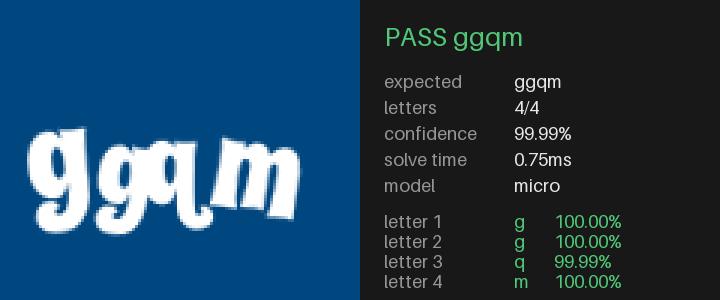
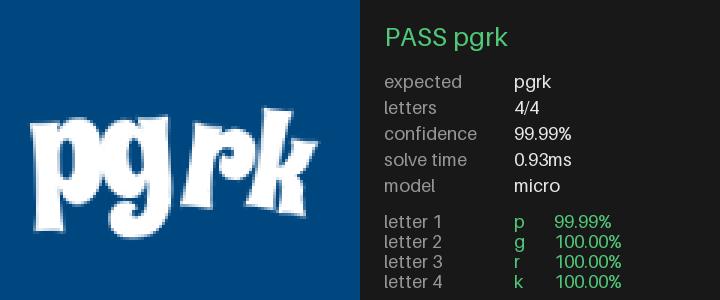
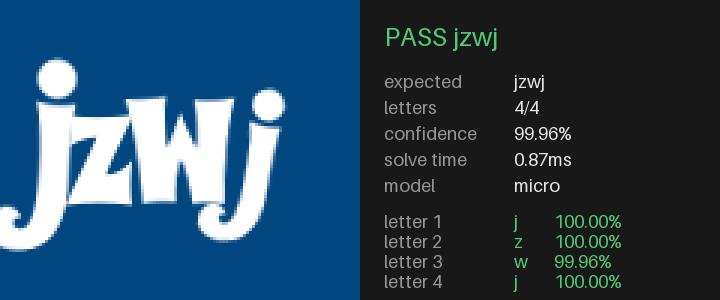
`micro` reading fresh ones, with the per letter confidence next to each:

<div class="img-grid img-grid-wide">
  <img src="https://takionapi.tech/blog/ticketmaster-yii-captcha-solver/captcha_solved_0.jpeg" alt="Solved captcha with expected code, confidence and solve time" />
  <img src="https://takionapi.tech/blog/ticketmaster-yii-captcha-solver/captcha_solved_1.jpeg" alt="Solved captcha with expected code, confidence and solve time" />
  <img src="https://takionapi.tech/blog/ticketmaster-yii-captcha-solver/captcha_solved_2.jpeg" alt="Solved captcha with expected code, confidence and solve time" />
  <img src="https://takionapi.tech/blog/ticketmaster-yii-captcha-solver/captcha_solved_3.jpeg" alt="Solved captcha with expected code, confidence and solve time" />
  <img src="https://takionapi.tech/blog/ticketmaster-yii-captcha-solver/captcha_solved_4.jpeg" alt="Solved captcha with expected code, confidence and solve time" />
  <img src="https://takionapi.tech/blog/ticketmaster-yii-captcha-solver/captcha_solved_5.jpeg" alt="Solved captcha with expected code, confidence and solve time" />
</div>

## Conclusion

This has been a quick and easy case study for a different approach of a ML model trianing, saved me lots of time and resources.

[Repo is here](https://github.com/glizzykingdreko/ticketmaster-yii-captcha) with mnodels, trianing script and all the other scripts used.

## Need antibot solutions?

[![TakionAPI, we handle the wall. You ship the rest.](https://takionapi.tech/og.webp)](https://takionapi.tech/bypass)

If you would rather not deal with captchas and antibots yourself, [**TakionAPI**](https://takionapi.tech/bypass) covers DataDome, Akamai, PerimeterX, Cloudflare, hCaptcha and the rest, one HTTPS call per token, no browser. We know what we are doing. [Start with a trial](https://takionapi.tech/trial).

We offer as well cheap and reilable `tmpt` solutions for Ticketmaster.

## Connect with me

If you enjoyed this, follow me on GitHub and Medium to get a ping whenever I post or open-source something.

- [GitHub](https://github.com/glizzykingdreko)
- [Twitter](https://mobile.twitter.com/glizzykingdreko)
- [Medium](https://medium.com/@glizzykingdreko)
- [Email](mailto:glizzykingdreko@protonmail.com)
- [Buy me a coffee ❤️](https://www.buymeacoffee.com/glizzykingdreko)
- [TakionAPI](https://takionapi.tech)

## Sources

- [ticketmaster-yii-captcha](https://github.com/glizzykingdreko/ticketmaster-yii-captcha), generator, trainer, benchmark and the 3 models
- [Yii2 CaptchaAction](https://github.com/yiisoft/yii2/blob/db5ff801c63c37e8f8bf4143026804c90a00102e/framework/captcha/CaptchaAction.php#L274), the function this is ported from