Daily hCaptcha Challenges — Chap. 2
If you haven’t read Chap. 1 yet, I highly recommend you start there. In this chapter, we analyse a different dynamic hCaptcha challenge.
If you haven’t read Chap. 1 yet, I highly recommend you start there. In this chapter, we analyse a different dynamic hCaptcha challenge.
The Missing Arch Challenge
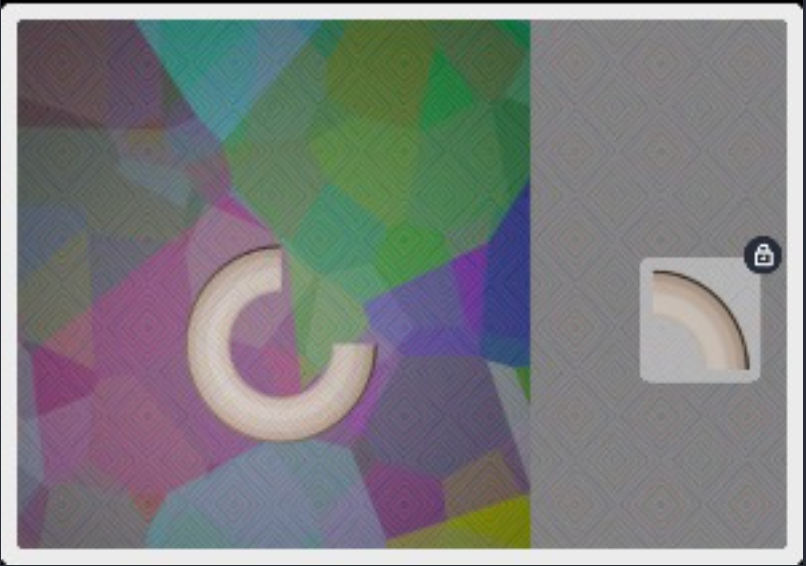
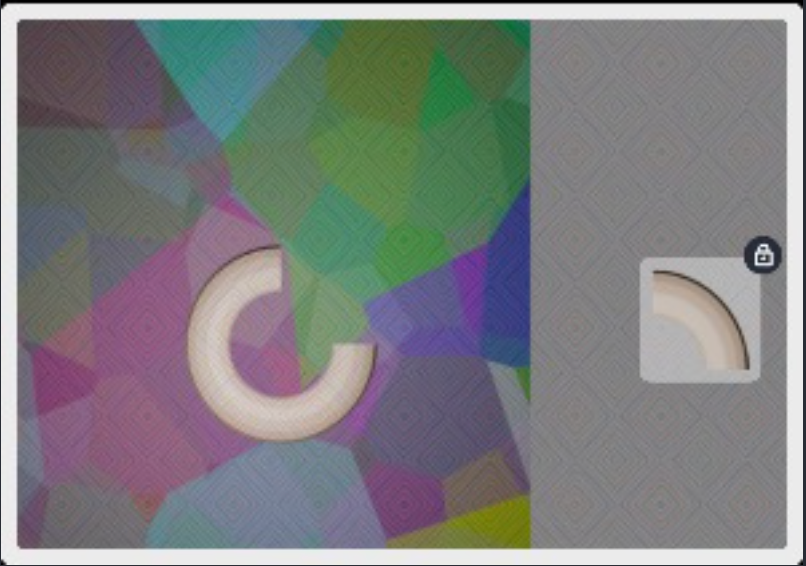
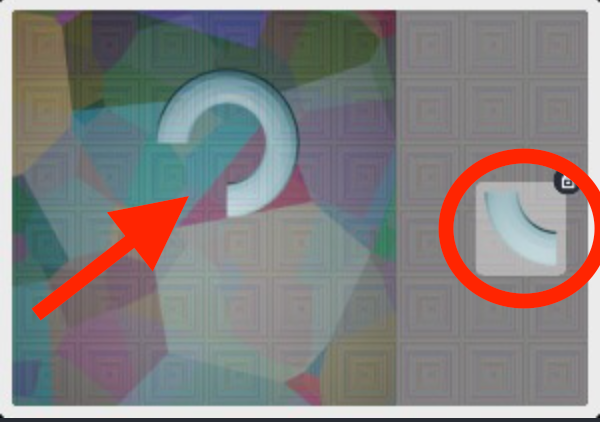
This challenge presents a donut-shaped figure, with one segment or “arch” missing, always consistently located on the right side. Our primary goal is straightforward: accurately determine the coordinates of the midpoint of this missing segment. These coordinates represent the drop-out location required by the payload.
Let’s proceed step-by-step, including both conceptual explanations and practical code snippets.
The approach
By having as only data from hCaptcha the png of the challenge, my approach has been the following:
- Pre-process the image
- Identify the donut shape
- Visualize it for debugging on a Cartesian plane*****
- Identify the missing arch based on the border continuesy
- Apply it to the original image and identify the coordinates
Easier on practice than on theory.
Let’s proceed with this challenge:
*******This step is purerly for a better understanding of the situation, the final resolution will not need this step
Preprocessing
Before any geometric reasoning can occur, the image must be “cleaned up” so that only the essential features remain.
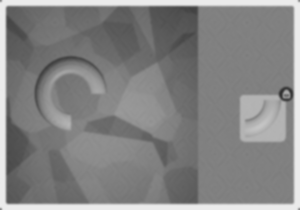
- Grayscale Conversion & Gaussian Blur:
Converting the image to grayscale simplifies the data by reducing color channels, and applying a Gaussian blur helps to mitigate noise — ensuring that small irregularities or artifacts don’t lead to false edge detections.
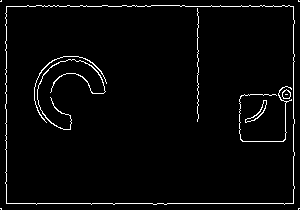
- Edge Detection (Canny Algorithm):
The Canny edge detector is employed to highlight the boundaries within the image. This step is crucial as it isolates the outlines of the donut shape, making subsequent contour detection and geometric analysis more reliable.
Lots of words, but actually 3 really efficient strings of code.
# 1. Grayscale
gray = cv2.cvtColor(image, cv2.COLOR_BGR2GRAY)
# 2. Blur
blurred = cv2.GaussianBlur(gray, (5, 5), 0)
# 3. Identify edges
edges = cv2.Canny(blurred, 50, 150)
Identification of the Donut Shape
Once we have a clear edge map, the next step is to isolate the donut shape from the background. This is achieved by:
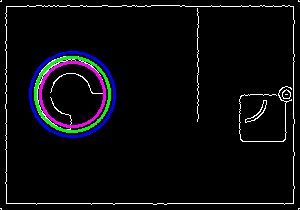
- Masking the Donut Region:
I create two masks: one for an outer circle (radius + 5) and another for an inner circle (radius — 5). The intersection (or difference) of these masks effectively isolates the ring that defines the donut. - Contour Analysis:
By finding contours in the masked image, I can then select the largest contour. This step filters out extraneous noise and ensures that only the primary donut shape is analyzed.
circles = cv2.HoughCircles(
   edges,
    cv2.HOUGH_GRADIENT,
    dp=1,
    minDist=50,
    param1=50,
    param2=30,
    minRadius=20,
    maxRadius=100
)
circle_vis = cv2.cvtColor(edges, cv2.COLOR_GRAY2BGR)
h, w = edges.shape[:2]

circles = np.uint16(np.around(circles))
largest_circle = max(circles[0], key=lambda x: x[2])
x_center, y_center, r = largest_circle

# Draw circles for debug.
cv2.circle(circle_vis, (x_center, y_center), r, (0, 255, 0), 2)
cv2.circle(circle_vis, (x_center, y_center), r + 5, (255, 0, 0), 2)
cv2.circle(circle_vis, (x_center, y_center), r - 5, (255, 0, 255), 2)
The result is a cleaned image that contains only the donut’s edge points.
Cartesian visualization
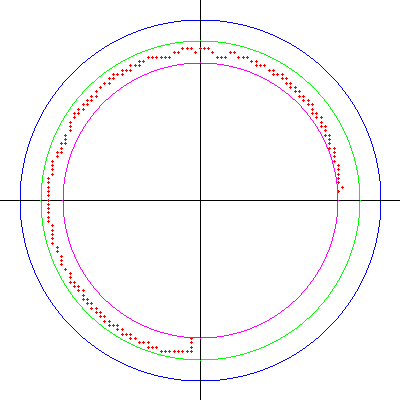
To facilitate debugging and ensure that the edge data is correctly interpreted, I project the donut’s perimeter onto a Cartesian plane. This step involves:
- Defining Reference Circles:
I overlay three circles on a blank canvas: - A green circle represents the detected donut border.
- A blue circle represents an outer reference (radius + 5).
- A purple circle delineates an inner boundary (radius — 5)
- Plotting Valid Edge Points:
The red dots represent the valid edge points extracted from the processed image. These dots reveal the continuity (or discontinuity) of the donut border, allowing you to visually identify the missing arch.
# Prepare blank images
img1 = np.ones((size, size, 3), dtype=np.uint8) * 255
img2 = img1.copy()
img3 = img1.copy()

# Draw coordinate axes on each
for img in (img1, img2, img3):
    cv2.line(img, (0, size//2), (size, size//2), (0, 0, 0), 1)
    cv2.line(img, (size//2, 0), (size//2, size), (0, 0, 0), 1)

# Compute scale factor and center in Cartesian space
scale = (size * 0.8) / (2 * radius)
center_pt = (size // 2, size // 2)

# Mask the donut region
outer_mask = np.zeros_like(edges)
inner_mask = np.zeros_like(edges)
cv2.circle(outer_mask, (center_x, center_y), radius + 5, 255, -1)
cv2.circle(inner_mask, (center_x, center_y), radius - 5, 255, -1)
donut_region = cv2.bitwise_and(edges, cv2.bitwise_and(outer_mask, cv2.bitwise_not(inner_mask)))

# Keep only the largest contour
contours, _ = cv2.findContours(donut_region, cv2.RETR_EXTERNAL, cv2.CHAIN_APPROX_NONE)
if contours:
    largest_contour = max(contours, key=cv2.contourArea)
    cleaned = np.zeros_like(donut_region)
    cv2.drawContours(cleaned, [largest_contour], -1, 255, thickness=cv2.FILLED)
    donut_region = cleaned

# Collect valid points and compute angles
white_pixels = np.argwhere(donut_region > 0)
white_pixels = [(p[1], p[0]) for p in white_pixels]  # (x, y)

margin = 5
angle_points = {}
for (px, py) in white_pixels:
    dist = math.hypot(px - center_x, py - center_y)
    if (radius - margin) <= dist <= (radius + margin):
        angle_deg = math.degrees(math.atan2(py - center_y, px - center_x))
        if angle_deg < 0:
            angle_deg += 360
        angle_deg = int(round(angle_deg))
        angle_points.setdefault(angle_deg, []).append((px, py))

# Group angles into raw arcs
sorted_angles = sorted(angle_points.keys())
raw_arcs = []
current_arc = []
gap_thresh = 5
min_arc_len = 5
if sorted_angles:
    current_arc = [sorted_angles[0]]
    for i in range(1, len(sorted_angles)):
        curr_angle = sorted_angles[i]
        prev_angle = sorted_angles[i - 1]
        if (curr_angle - prev_angle) <= gap_thresh:
            current_arc.append(curr_angle)
        else:
            if len(current_arc) >= min_arc_len:
                raw_arcs.append((min(current_arc), max(current_arc)))
            current_arc = [curr_angle]
    if len(current_arc) >= min_arc_len:
        raw_arcs.append((min(current_arc), max(current_arc)))

# Merge raw arcs to get present arcs, then compute missing arcs
present_arcs = merge_arcs(raw_arcs, gap_threshold=5)
missing_arcs = find_missing_arcs(present_arcs)

# Draw red dots for all valid points on each image
for (px, py) in white_pixels:
    dx = px - center_x
    dy = py - center_y
    proj_x = int(center_pt[0] + dx * scale)
    proj_y = int(center_pt[1] + dy * scale)
    if 0 <= proj_x < size and 0 <= proj_y < size:
        for img in (img1, img2, img3):
            cv2.circle(img, (proj_x, proj_y), 1, (0, 0, 255), -1)

# Draw reference circles on each image
for img in (img1, img2, img3):
    cv2.circle(img, center_pt, int(radius * scale), (0, 255, 0), 1)       # Middle (green)
    cv2.circle(img, center_pt, int((radius + 5) * scale), (255, 0, 0), 1)   # Outer (blue)
    cv2.circle(img, center_pt, int((radius - 5) * scale), (255, 0, 255), 1) # Inner (purple)
Extracting the Missing Arch
With the edge data in hand, the next challenge is to determine where the donut’s border is interrupted.
- Grouping and Merging Angles:
I calculate the angle of each edge point relative to the donut’s center. These angles are then grouped into “arcs” based on their continuity. Small gaps (within a threshold) are merged so that only significant discontinuities remain.
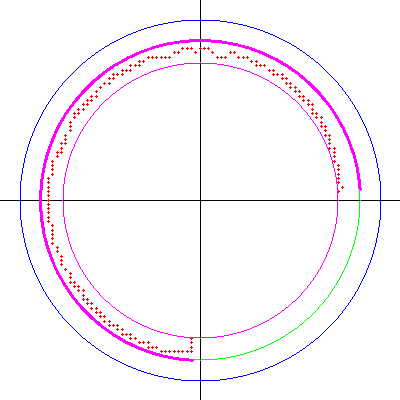
# Draw present arcs in pink on all three images
for (arc_start, arc_end) in present_arcs:
    for img in (img1, img2, img3):
        cv2.ellipse(
            img,
            center_pt,
            (int(radius * scale), int(radius * scale)),
            0,
            arc_start,
            arc_end,
            (255, 0, 255),  # Pink
            2
        )
- Identifying Missing Sections:
By taking the complement of the merged “present” arcs, the gaps (missing arcs) can be computed. The largest missing arc is then chosen as the target for solving the challenge.
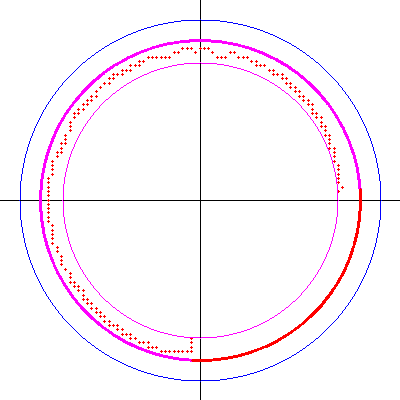
# Draw missing arcs in red on img2 and img3
for (arc_start, arc_end) in missing_arcs:
    for img in (img2, img3):
            cv2.ellipse(
                img,
                center_pt,
                (int(radius * scale), int(radius * scale)),
                0,
                arc_start,
                arc_end,
                (0, 0, 255),  # Red
                2
            )
- Calculating the Drop-Out Point:
The midpoint of this missing arc is computed. This point, after appropriate translation from the Cartesian projection back to the original image’s coordinate system, is the critical “drop-out” point that needs to be submitted in the challenge payload.
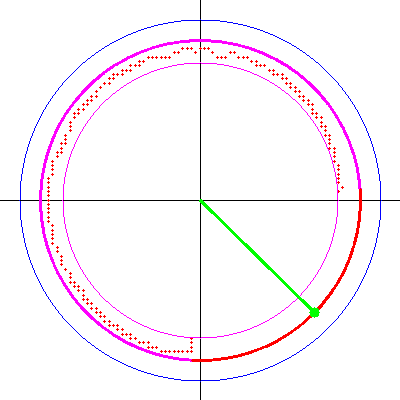
# We draw a green line and dot for the largest missing arc
largest_missing_arc = max(missing_arcs, key=lambda arc: arc[1] - arc[0])
arc_start, arc_end = largest_missing_arc
mid_angle = (arc_start + arc_end) / 2.0
mid_rad = math.radians(mid_angle)
scaled_r = int(radius * scale)
line_end_x = center_pt[0] + int(scaled_r * math.cos(mid_rad))
line_end_y = center_pt[1] + int(scaled_r * math.sin(mid_rad))
cv2.line(img3, center_pt, (line_end_x, line_end_y), (0, 255, 0), 2)
cv2.circle(img3, (line_end_x, line_end_y), 5, (0, 255, 0), -1)
Mapping Back to the Original Image
The final step involves translating the computed midpoint from the Cartesian plane back into the original image’s coordinate space. For improved accuracy, the midpoint is marked on an “imaginary” circle that is inset by 7 pixels from the detected outer boundary. This adjustment accounts for any border inconsistencies and provides a more reliable coordinate for the hCaptcha payload.
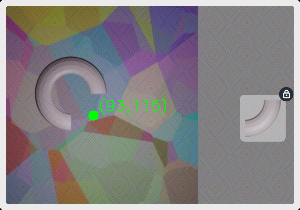
# Mark the largest missing arc midpoint on the original image.
original_with_missing_dot = image.copy()

largest_missing_arc = max(missing_arcs, key=lambda arc: arc[1] - arc[0])
arc_start, arc_end = largest_missing_arc
mid_angle = (arc_start + arc_end) / 2.0
mid_rad = math.radians(mid_angle)
dot_x = int(x_center + (r - 7) * math.cos(mid_rad))
dot_y = int(y_center + (r - 7) * math.sin(mid_rad))
cv2.circle(original_with_missing_dot, (dot_x, dot_y), 5, (0, 255, 0), -1)
coord_text = f"({dot_x},{dot_y})"
cv2.putText(original_with_missing_dot, coord_text, (dot_x+5, dot_y-5),
    cv2.FONT_HERSHEY_SIMPLEX, 0.5, (0, 255, 0), 1)
Conclusion
The key to solving the “Missing Arch Challenge” efficiently lies in precise image preprocessing, systematic contour analysis, and accurate geometric computation. Debug visualizations, while optional, significantly aid development.
You can find the complete, optimized solver implementation on my GitHub repository. Also, check out TakionAPI, my antibot solution provider offering APIs for hCaptcha, Datadome, PerimeterX, Queue-IT, and custom web scraping solutions. Join our Discord community for API trials and support!
Enjoyed this article? Consider supporting me via BuyMeACoffee.
Follow & Contact Me
- GitHub: glizzykingdreko
- Medium: glizzykingdreko
- Discord: glizzykingdreko
- Email: [email protected]
Skip the reverse-engineering.
Takion returns fresh cookies, headers, and tokens for every major antibot wall. One POST, no browser, first call within the hour.