Using iCloud+ subscription as its best
The feature I love the most of iCloud+ is the “HideMyEmail”, that creates you an alias during website registrations in order to prevent sharing your real mail.
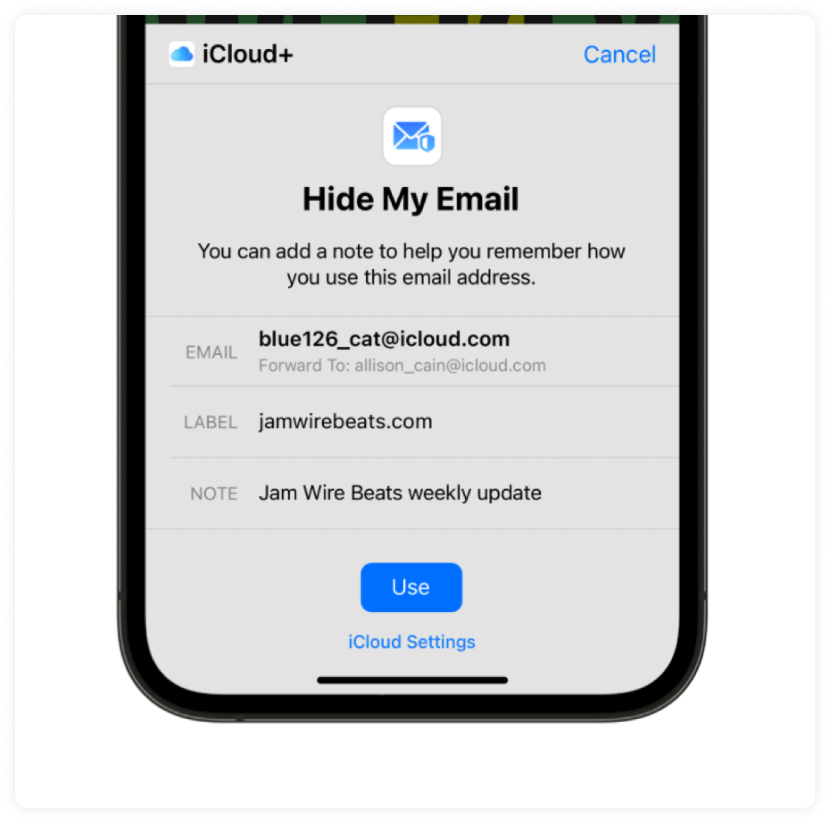
The feature I love the most of iCloud+ is the “HideMyEmail”, that creates you an alias during website registrations in order to prevent sharing your real mail.
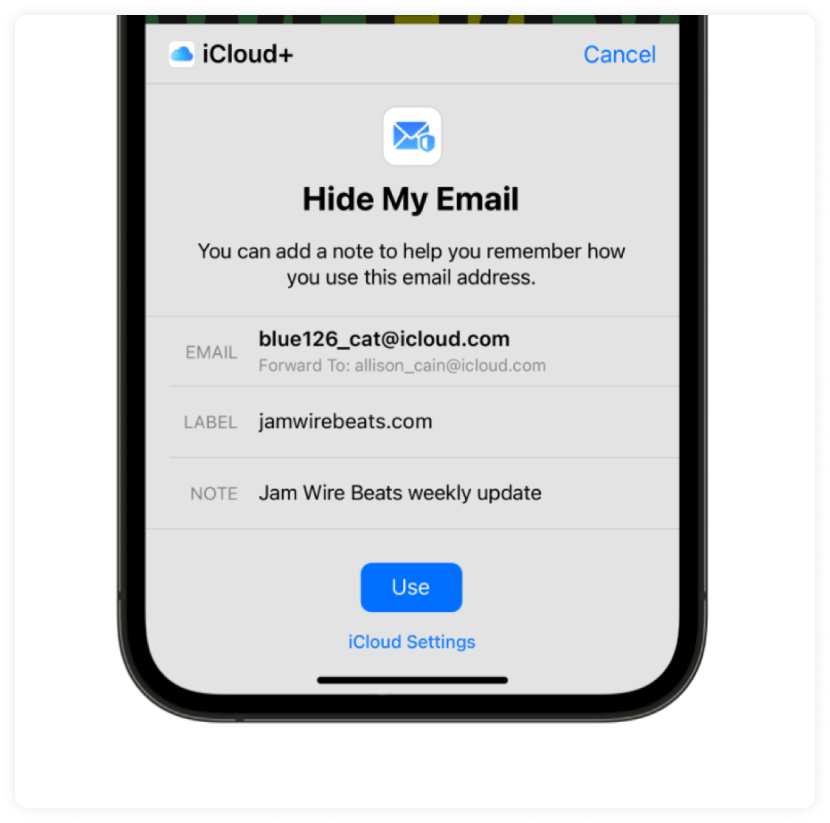
That’s nice, but you know what would be even better? The possibility of quickly using this feature to generate a list of aliases pointing to my iCloud mail, in order to prevent buying email lists or catchalls during raffles, bulk account creations, or just having fresh throwaway addresses whenever I need them.
So let’s do it!
Other open source solutions
This idea was born when I needed to create some aliases quickly and easily. I thought about this HideMyEmail approach, found a couple of projects online, but the main issue with all of them was the login.
Totally not supported. Had to extract cookies from my browser session in order to make any script work. So basically there’s just some vibe-coded modules around that will reproduce a request for X times with the cookies you provide them.
And by keeping in mind that iCloud lets you generate around 5 emails each 30/40 minutes… at the end, doing it manually would be even easier than fighting with expired sessions.
We can do it way better. (spoiler: check the github repo of this project)
Understanding the process
To build something that actually works, I needed to understand what happens when you log into iCloud. So I fired up my browser, opened an HTTP proxy, and recorded the entire session from login to email generation.
obv Apple doesn’t make this easy. Their authentication uses a custom implementation of the Secure Remote Password (SRP) protocol with some Apple-specific modifications that took me way too long to figure out.
Let me walk you through it.
The Authentication Flow
**Step 1: SRP Initialization
**First, we send a request to /appleauth/auth/signin/init with the account name:
{
  "a": "<base64_encoded_A_value>",
  "accountName": "[email protected]",
  "protocols": ["s2k", "s2k_fo"]
}
The a value is our SRP public ephemeral value. Apple responds with their own values including:
- b Server's public ephemeral
- saltFor password derivation
- iterationPBKDF2 iteration count
- protocolWhich variant to use (usually s2k)
**Step 2: The s2k Protocol
**Here’s where Apple decided to be Apple. Standard SRP computes x = H(s || H(I:p)) where I is the username and p is the password.
But no, Apple’s s2k protocol does something different:
x = H(s || p)
Where p isn't the raw password, but:
password_hash = SHA256(password)
derived_key = PBKDF2(password_hash, salt, iterations, 32, SHA256)
I spent hours debugging “Invalid credentials” errors before finding this. Massive shoutout to the icloudpy project for helping me validate the logic, their implementation saved my time.
Step 3: Complete Authentication
With the correct SRP proof calculated, we send it to /appleauth/auth/signin/complete:
{
  "accountName": "[email protected]",
  "m1": "<base64_srp_proof>",
  "m2": "<base64_server_proof>",
  "rememberMe": true
}
Step 4: Two-Factor Authentication
If 2FA is enabled (and honestly, it should be on every account), Apple returns a 409 status asking for verification. You'll get a code on your trusted devices — iPhone, iPad, Mac, whatever you have.
We send that code to /appleauth/auth/verify/trusteddevice/securitycode:
{
  "securityCode": {
    "code": "123456"
  }
}
Then we trust the session via /appleauth/auth/2sv/trust so we don't have to go through 2FA every single time.
Step 5: Account Login
Finally, we hit /setup/ws/1/accountLogin to get the full session with all the webservice URLs we need, including the HideMyEmail endpoint we're after.
At this point, we have a fully authenticated session. The hard part is done!
The HideMyEmail API
Now for the fun part. Once authenticated, interacting with HideMyEmail is surprisingly straightforward compared to the authentication nightmare we just went through. (for this reason probably all the open source projects just had this part)
Generating an Email
POST /v1/hme/reserve
{
  "hme": "[email protected]",
  "label": "My Shopping Account",
  "note": "Used for online shopping"
}
Once reserved, the email is permanently linked to your account and will forward messages to your inbox forever (or until you delete it).
Listing All Emails
GET /v2/hme/list
Returns all your HideMyEmail addresses with metadata like creation date, label, and whether it’s active. Useful for exporting everything you’ve created.
Rate Limits
Of course, Apple wouldn’t let us go wild. Here’s what I discovered through… extensive testing:
- Per 30 minutes: ~5 emails × family members
- Total per account: ~700 emails
The “family members” multiplier is interesting — if you have Apple Family Sharing with 5 people, you theoretically get roughly 25 emails per 30 minutes. Not bad for a feature Apple probably didn’t intend to be used this way.
When you hit the limit, Apple returns:
{
  "success": false,
  "error": {
    "errorMessage": "You have reached the limit...",
    ...
  }
}
Building the CLI
With all this knowledge, I built icloud-hme — a proper CLI tool that handles everything:
- Real SRP Authentication — No more cookie copying nightmares
- 2FA Support — Works with your trusted devices
- Multi-Account — Switch between multiple iCloud accounts
- Beautiful Output — Powered by Rich, because why should CLIs be ugly?
- Export — CSV or JSON with filtering options
See it in Action
First, authenticate with your iCloud account:
$ icloud-hme auth

◆ iCloud HME ─────────────────────────────────────────────────────

  ? iCloud email: your@icloud.com
  ? Password: ********

  ● Two-factor authentication required
  ? Enter 6-digit code: 123456

  ✓ Authenticated as Your Name
Then generate as many emails as you want:
$ icloud-hme generate -n 5

  Generating 5 email(s) • PERMANENT

  ──────────────────────────────────────────────────────────────────

  ✓ punk_51_estofamos@icloud.com
  ✓ bicep_angora.32@icloud.com
  ✓ extinct.daze_7p@icloud.com
  ✓ minimos_orzo.06@icloud.com
  ✓ flak-din-1q@icloud.com

  ──────────────────────────────────────────────────────────────────

  ✓ Generated 5/5 permanent email(s)
Need to export everything? Easy:
$ icloud-hme export --format csv

  ✓ Found 29 emails to export
  ? Save to (without extension): my_emails

  ✓ Exported to my_emails.csv
You can install the module via
pip install icloud-hme
or via the source code, be sure to check the github repo
Connect with me
If you enjoyed this article, follow me on GitHub and on Medium to receive notifications whenever I post or open-source something.
Skip the reverse-engineering.
Takion returns fresh cookies, headers, and tokens for every major antibot wall. One POST, no browser, first call within the hour.