Bypass DataDome and BotDeflector right in your browser.
Chrome extensions that clear DataDome's interstitial, slider captcha and tags, and BotDeflector's icon captcha, on the page you are on. By hand or inside Selenium, Playwright and Puppeteer, with no solver code and no patched browser.
- 1from selenium import webdriver
- 2driver = webdriver.Chrome(options=opts)
- 3driver.get("https://idealista.com")
- 4html = driver.page_source
The real extensions at work. Pick a wall to replay it.
The short answer
To bypass DataDome or BotDeflector in a real Chrome, install the Takion extension for that wall and save your Takion API key in its popup once. The extension catches the challenge inside the page, gets a clean answer from TakionAPI and submits it from the challenge's own frame, so the page passes without you patching Selenium, Playwright or the browser. One key covers every extension and the API.
DataDome Solver by Takion
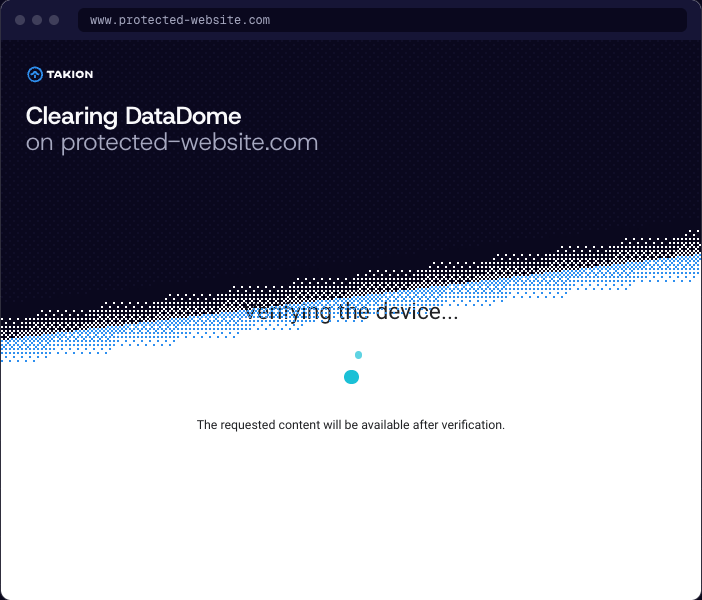
Solves DataDome's interstitial, its slider captcha and the tags.js checks (ch on page load, le after activity), then reloads into the site.
- Blocks DataDome's own solver scripts in the challenge frame, so the page never tries on its own.
- Sends the challenge to TakionAPI and takes back only the encrypted fields, so webdriver flags, CDP and odd mouse movements are not what DataDome scores.
- Submits from DataDome's own frame, sets the datadome cookie and reloads the tab.
On normal pages it lets tags.js run, swaps a fresh payload into its two posts and shows a small notice when it did.
BotDeflector Captcha Solver
Solves the BotDeflector icon captcha on Queue-it softblocks (served from challenge.queue-it.net) and on standalone sites.
- Spots the challenge on the page and sends the picture and the legend to TakionAPI.
- Clicks the icons in the right order after a short answer delay (1500 ms by default): answering faster than a person returns error I024.
- Auto-solve switches off in the popup when you want to solve one by hand.
BotDeflector Solver
by TakionAPI
Icon challenge passed
One TakionAPI key also clears DataDome, Akamai, PerimeterX and the rest.

It is live. Flip auto-solve or drag the answer delay.
Castle Solver
Swaps Castle's token for a clean one on X logins (begin_login and login_enter_password) and Rockstar sign-ins (the x-castle-request-token header). The page keeps its browser, headers and cookies; only the token changes.
- Holds X's onboarding request (begin_login, login_enter_password) or Rockstar's sign-in before it leaves the page.
- Mints a token for that stage from TakionAPI and lines the tab's User-Agent, client hints and locale up with it.
- Swaps only the token, then a small Takion pill reports the swap and Castle's verdict.
POST api.x.com/1.1/onboarding/task.json · begin_login
User-Agent, cookies, headers: unchanged
Incapsula
Coming soon
How to install
- 01
Add it to Chrome
From the Chrome Web Store, or load it unpacked from source.
- 02
Paste your Takion key
The popup asks for it once. No key yet? Start a free trial.
- 03
Browse or automate
When a challenge shows up, the extension clears it and a small notice tells you it passed.
Selenium, Playwright and Puppeteer
Install the extension into the browser your script drives, save the key once, then browse as usual. Every challenge the script lands on clears itself.
Chrome 137 and later ignore --load-extension, so Selenium installs the extension over WebDriver BiDi. Playwright and Puppeteer load it into their own Chromium.
selenium_example.py
options = webdriver.ChromeOptions()options.enable_bidi = Trueoptions.add_argument("--enable-unsafe-extension-debugging")options.add_argument("--remote-debugging-pipe")driver = webdriver.Chrome(options=options)extension_id = driver.webextension.install(path="extension")["extension"]driver.get(f"chrome-extension://{extension_id}/popup/popup.html")driver.execute_async_script( "chrome.storage.local.set({apiKey: arguments[0]}).then(arguments[1]);", API_KEY,)driver.get("https://www.idealista.com/")Shown with the DataDome Solver; the BotDeflector extension loads the same way.
Extension or API?
| Extension or API? | Chrome extension | Takion API |
|---|---|---|
| Use it when | you already drive a real Chrome: by hand, Selenium, Playwright or Puppeteer | your code makes HTTP requests, with no browser |
| What runs | the extension, solving inside the page | one POST that returns the tokens and cookies |
| Setup | install it and save a key | send the target in a request |
| Walls | DataDome, BotDeflector and Castle | every wall Takion covers |
Extensions FAQ
Do I need to change my Selenium or Playwright script?
No solver code. The script installs the extension once and saves the key; after that it browses as usual and challenges clear themselves.
Does it need a Takion API key?
Yes. Each extension calls TakionAPI for the solve with your key. Start a free trial on the dashboard to get one.
Why does BotDeflector need an answer delay?
BotDeflector rejects answers that come faster than a person could give them, with error I024. The extension waits 1500 ms by default, and you can change it in the popup.
Does Chrome 137 break loading the extension in Selenium?
Chrome 137 ignores --load-extension, so install the extension over WebDriver BiDi (driver.webextension.install) and write the key into chrome.storage, as in the example above.
Where is the source code?
All three extensions are open source on GitHub; the source link is on each one's section above.
Which walls are covered?
DataDome, BotDeflector and Castle today, Incapsula next. Anything else, and anything without a browser, goes through the API with the same key.
One key for the extensions and the API.
Start a free trial, install the extension, and let the wall clear itself.