拆解一种独特的反机器人手段
在给 DiscoverCars 做租车搜索自动化时,我偶然撞上了一种既有意思、又有点不寻常的安全手段,它是用来验证合法用户的。这篇文章会讲述我的调试过程、我如何找出其中的关键机制,以及这种方法为什么既有创意又存在缺陷。
在给 DiscoverCars 做租车搜索自动化时,我偶然撞上了一种既有意思、又有点不寻常的安全手段,它是用来验证合法用户的。这篇文章会讲述我的调试过程、我如何找出其中的关键机制,以及这种方法为什么既有创意又存在缺陷。
初遇挑战
要拿到车辆列表,系统在发出关键请求之前,要求先走一套初始化会话流程:
curl 'https://www.discovercars.com/en/search/get-result-list/{session_id}?gToken={recaptcha_token}' \
  -H 'accept: application/json, text/javascript, */*; q=0.01' \
  -H 'user-agent: Mozilla/5.0 (Macintosh; Intel Mac OS X 10_15_7) AppleWebKit/537.36 (KHTML, like Gecko) Chrome/134.0.0.0 Safari/537.36' \
  -H 'x-requested-with: XMLHttpRequest'
试了很多次之后,我遇到了 HTTP 400 错误。奇怪的是,reCAPTCHA v3 的 token 根本没被校验。这让我怀疑真正的检查发生在别的地方。
找出真正的守门人
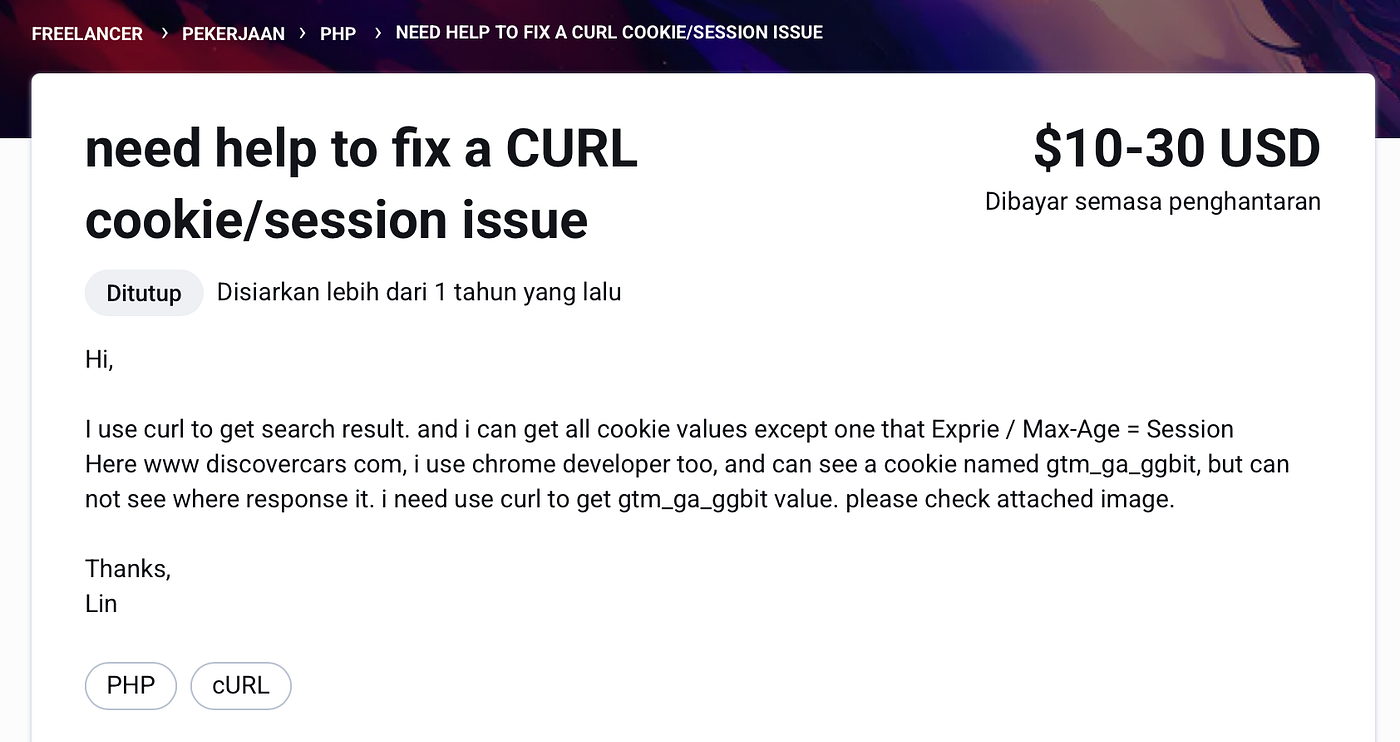
我开始逐个分析 cookie,最终锁定了那个关键的部分:gtm_ga_ggbit。和其他 cookie 不同,这一个是会被真正校验的。然而,在网上搜索几乎什么都找不到——除了一年前一个中国用户在 Freelancer 上发的、为同样问题发愁的帖子。
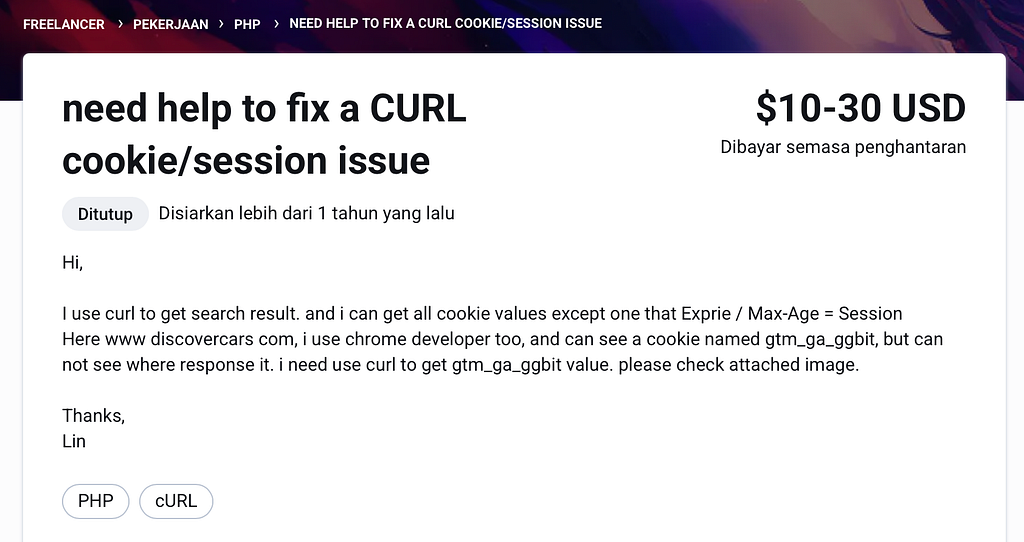
在没有任何文档可参考的情况下,我转向了以调试为先的思路,去弄清这个 cookie 是怎么被设置的。
Tampermonkey 调试来救场
既然我怀疑是 JavaScript 负责生成 gtm_ga_ggbit,我就写了一段 Tampermonkey 脚本,去挂钩 document.cookie,并在这个特定 cookie 被设置时中断执行。
// ==UserScript==
// @name         Cookie gtm_ga_ggbit Debugger
// @namespace    http://tampermonkey.net/
// @version      1.0
// @description  Break into debugger when gtm_ga_ggbit cookie is set by any method.
// @author       glizzykingdreko
// @match        *://*/*
// @run-at       document-start
// @grant        none
// ==/UserScript==

(function() {
    'use strict';

    const TARGET_NAME = 'gtm_ga_ggbit';
    let lastCookieValue = document.cookie;  // store initial cookies

    // Helper: trigger debugger if target cookie present in document.cookie string
    function triggerDebuggerIfCookieFound(source) {
        // Check for the target cookie name in the cookie string
        const cookieStr = document.cookie;
        if (cookieStr && cookieStr.indexOf(TARGET_NAME + '=') !== -1) {
            console.log(`[Tampermonkey] Cookie "${TARGET_NAME}" detected via ${source}.`);
            alert(`Cookie ${TARGET_NAME} was set via ${source}!`);
            debugger;  // pause execution
        }
    }

    // Periodic check (polling) as fallback for any missed events (e.g., Set-Cookie headers)
    function startCookiePolling() {
        setInterval(() => {
            const current = document.cookie;
            if (current !== lastCookieValue) {  // cookies changed
                if (current.indexOf(TARGET_NAME + '=') !== -1 && lastCookieValue.indexOf(TARGET_NAME + '=') === -1) {
                    // target cookie appeared (wasn't in last value)
                    triggerDebuggerIfCookieFound('polling');
                }
                lastCookieValue = current;
            }
        }, 500);  // check every 500ms (adjust as needed)
    }

    // Hook document.cookie setter for JavaScript writes
    const docCookieDesc = Object.getOwnPropertyDescriptor(Document.prototype, 'cookie');
    if (docCookieDesc && docCookieDesc.configurable) {
        const nativeSetter = docCookieDesc.set;
        const nativeGetter = docCookieDesc.get;
        Object.defineProperty(Document.prototype, 'cookie', {
            configurable: true,
            enumerable: true,
            get() {
                return nativeGetter.call(this);
            },
            set(value) {
                if (typeof value === 'string' && value.indexOf(TARGET_NAME + '=') === 0) {
                    console.log(`[Tampermonkey] Cookie "${TARGET_NAME}" being set via document.cookie:`, value);
                    alert(`Cookie ${TARGET_NAME} is being set via script!`);
                    debugger;
                }
                // Actually set the cookie using native setter
                nativeSetter.call(this, value);
            }
        });
    }

    // Hook Fetch API
    if (window.fetch) {
        const origFetch = window.fetch;
        window.fetch = function(...args) {
            return origFetch.apply(this, args).then(response => {
                // After response, check cookies
                triggerDebuggerIfCookieFound('fetch/XHR response');
                return response;
            });
        };
    }

    // Hook XMLHttpRequest
    if (window.XMLHttpRequest) {
        const origOpen = XMLHttpRequest.prototype.open;
        XMLHttpRequest.prototype.open = function(...args) {
            // (Optional: store URL or method if needed for debugging)
            this._debugUrl = args[1];
            return origOpen.apply(this, args);
        };
        const origSend = XMLHttpRequest.prototype.send;
        XMLHttpRequest.prototype.send = function(...args) {
            this.addEventListener('loadend', () => {
                triggerDebuggerIfCookieFound('XHR response');
            });
            return origSend.apply(this, args);
        };
    }

    // Hook WebSocket
    if (window.WebSocket) {
        const NativeWebSocket = WebSocket;
        // Override WebSocket constructor
        window.WebSocket = function(...args) {
            const ws = new NativeWebSocket(...args);
            ws.addEventListener('open', () => {
                triggerDebuggerIfCookieFound('WebSocket handshake');
            });
            return ws;
        };
        // Copy prototype to maintain instanceof checks
        window.WebSocket.prototype = NativeWebSocket.prototype;
        window.WebSocket.CONNECTING = NativeWebSocket.CONNECTING;
        window.WebSocket.OPEN = NativeWebSocket.OPEN;
        window.WebSocket.CLOSING = NativeWebSocket.CLOSING;
        window.WebSocket.CLOSED = NativeWebSocket.CLOSED;
    }

    // Use CookieStore API events if available (for modern browsers)
    if (window.cookieStore && window.cookieStore.addEventListener) {
        try {
            window.cookieStore.addEventListener('change', event => {
                // Check if our target cookie was added/changed
                for (const change of event.changed) {
                    if (change.name === TARGET_NAME) {
                        console.log(`[Tampermonkey] Cookie "${TARGET_NAME}" change detected via CookieStore API.`);
                        alert(`Cookie ${TARGET_NAME} was set (CookieStore API)!`);
                        debugger;
                    }
                }
            });
        } catch(e) {
            console.warn('CookieStore API event registration failed:', e);
        }
    } else {
        // Fallback to polling if CookieStore events not supported
        startCookiePolling();
    }
})();
有了这段脚本,我就能精确定位 gtm_ga_ggbit 到底是在哪里被设置的。
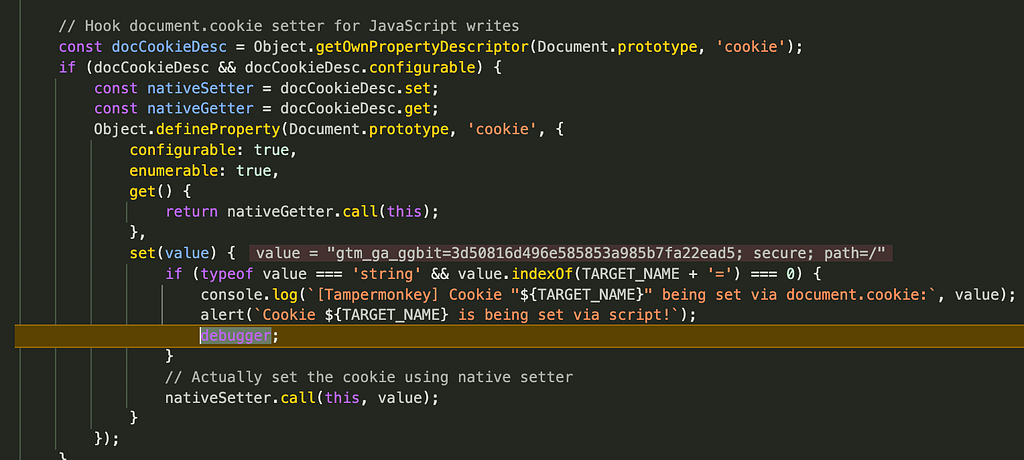
揭开基于 SVG 的混淆
关键的发现来自观察到一个奇怪的 JavaScript 函数,它用嵌在前端里的 SVG 元素的 color 属性生成 gtm_ga_ggbit。
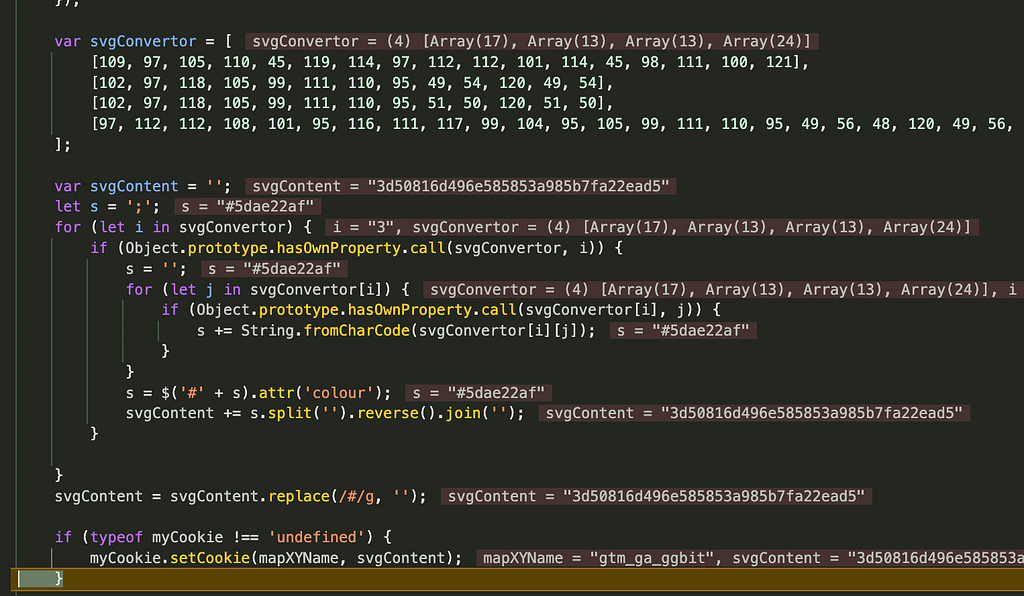
JavaScript 逻辑
var svgConvertor = [
    [109, 97, 105, 110, 45, 119, 114, 97, 112, 112, 101, 114, 45, 98, 111, 100, 121],
    [102, 97, 118, 105, 99, 111, 110, 95, 49, 54, 120, 49, 54],
    [102, 97, 118, 105, 99, 111, 110, 95, 51, 50, 120, 51, 50],
    [97, 112, 112, 108, 101, 95, 116, 111, 117, 99, 104, 95, 105, 99, 111, 110, 95, 49, 56, 48, 120, 49, 56, 48]
];

var svgContent = '';
for (let i in svgConvertor) {
    let s = '';
    for (let j in svgConvertor[i]) {
        s += String.fromCharCode(svgConvertor[i][j]);
    }
    s = $('#' + s).attr('colour');
    svgContent += s.split('').reverse().join('');
}

if (typeof myCookie !== 'undefined') {
    myCookie.setCookie('gtm_ga_ggbit', svgContent);
}
逐步拆解
- svgConvertor 数组解码后得到的是四个前端元素的 ID:main-wrapper-body、favicon_16x16、favicon_32x32、apple_touch_icon_180x180
- 这几个元素每一个都有一个 colour 属性,里面装着一串看似随机的 hex 字符串。
- 脚本把这些值提取出来、翻转、拼接,然后赋给 gtm_ga_ggbit。
例如:
<div class="main-wrapper" id="main-wrapper-body" colour="#d61805d3"></div>
<link id="favicon_16x16" colour="#8585e694">
<link id="favicon_32x32" colour="#7b589a35">
<link id="apple_touch_icon_180x180" colour="#5dae22af">
这种做法很独特,因为它根据前端渲染出的元素动态地混淆 cookie 值,很可能是为了让自动化工具更难预测。
用 Python 绕过它
尽管这方法有创意,它其实很容易逆向。我们只需解析前端、提取所需的值,然后重建这个 cookie。
soup = BeautifulSoup(frontend_response.text, 'html.parser')
svg_content = ''
for element in [
    "main-wrapper-body",
    "favicon_16x16",
    "favicon_32x32",
    "apple_touch_icon_180x180"
]:
    data = soup.find(id=element).get('colour')
    svg_content += ''.join(reversed(data))
svg_content = svg_content.replace('#', '')
session.cookies.set("gtm_ga_ggbit", svg_content)
结语
这是我见过的最有创意的反机器人技术之一。虽然它用一种巧妙的方式来混淆身份验证,但归根结底效果有限,因为:
- 这些值都在客户端,可以毫不费力地提取出来。
- 一旦分析清楚,逻辑就完全可预测。
- 它增加了复杂度,却没有实质性地提升安全性。
不过话说回来,这种做法可能会骗到经验不足的开发者,让他们浪费时间去调试其他因素,因此它是一个关于"以混淆求安全"(security-through-obscurity)的有趣案例。
如果有人遇到过类似的技术,很想听听!
关注与联系我
如果你喜欢这次拆解,欢迎关注我:
- GitHub: glizzykingdreko
- Medium: glizzykingdreko
或者直接联系我:
- Discord: glizzykingdreko
- Email: [email protected]