How to bypass Roblox captchav2 (the PerimeterX press and hold) on login and game join
A quick and direct guide, with a Python example, to bypass Roblox captchav2, the PerimeterX press and hold (pxhc), on account login and game join.
Roblox now puts a PerimeterX (HUMAN) press and hold captcha in front of two things: the web login, for some accounts, and game joins from the desktop launcher. To get past it in a script you need a real PX session, the block Roblox hands you, a press PX accepts, and the redeem that turns it into a Roblox token.
That's the short answer. Let's walk through both flows, every challenge Roblox stacks before and after the captcha, and a working example you can clone.
Where the captcha shows up
On the web login it pops up right after you submit the credentials. On a game join the launcher opens a Security window with the same button:
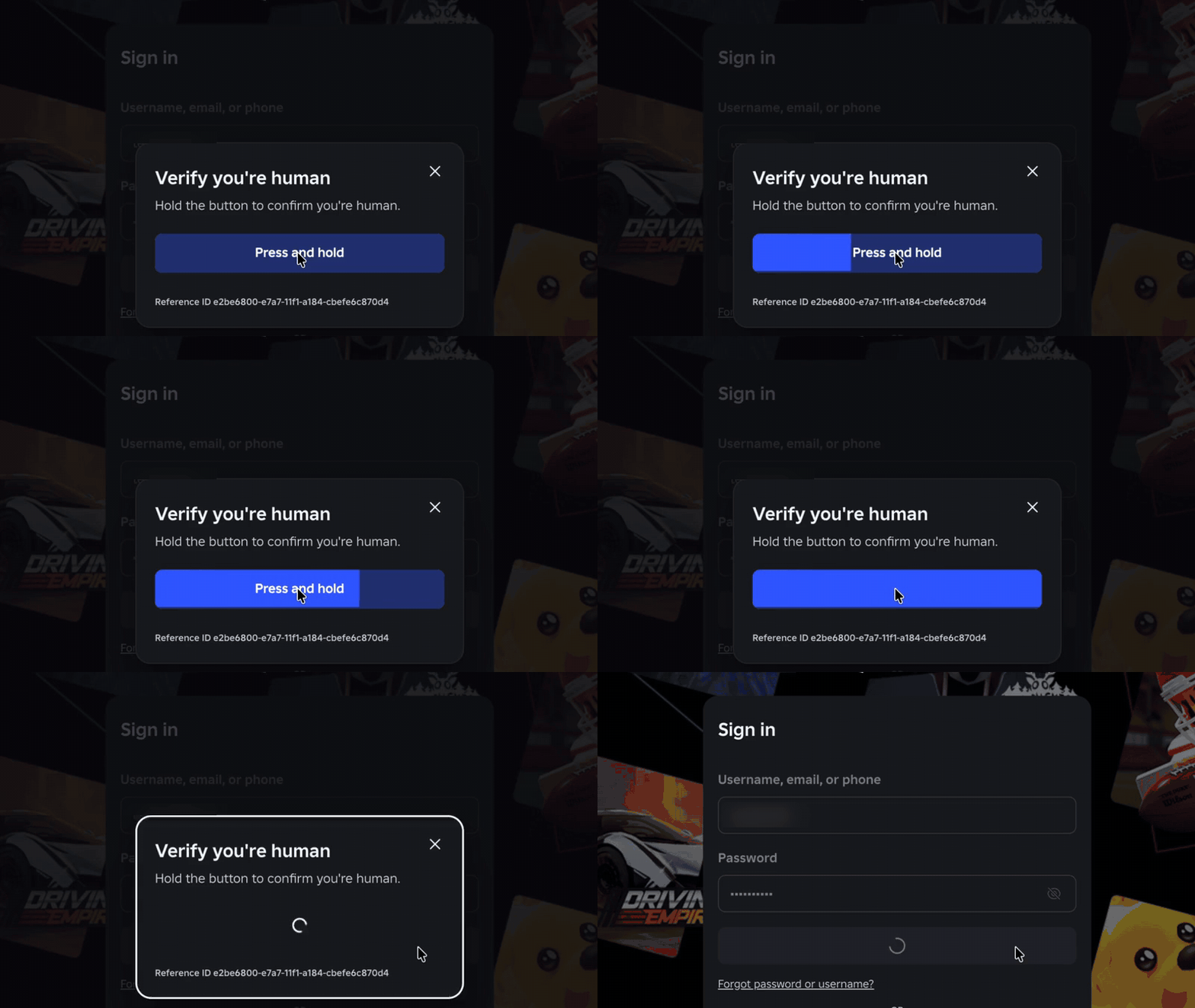
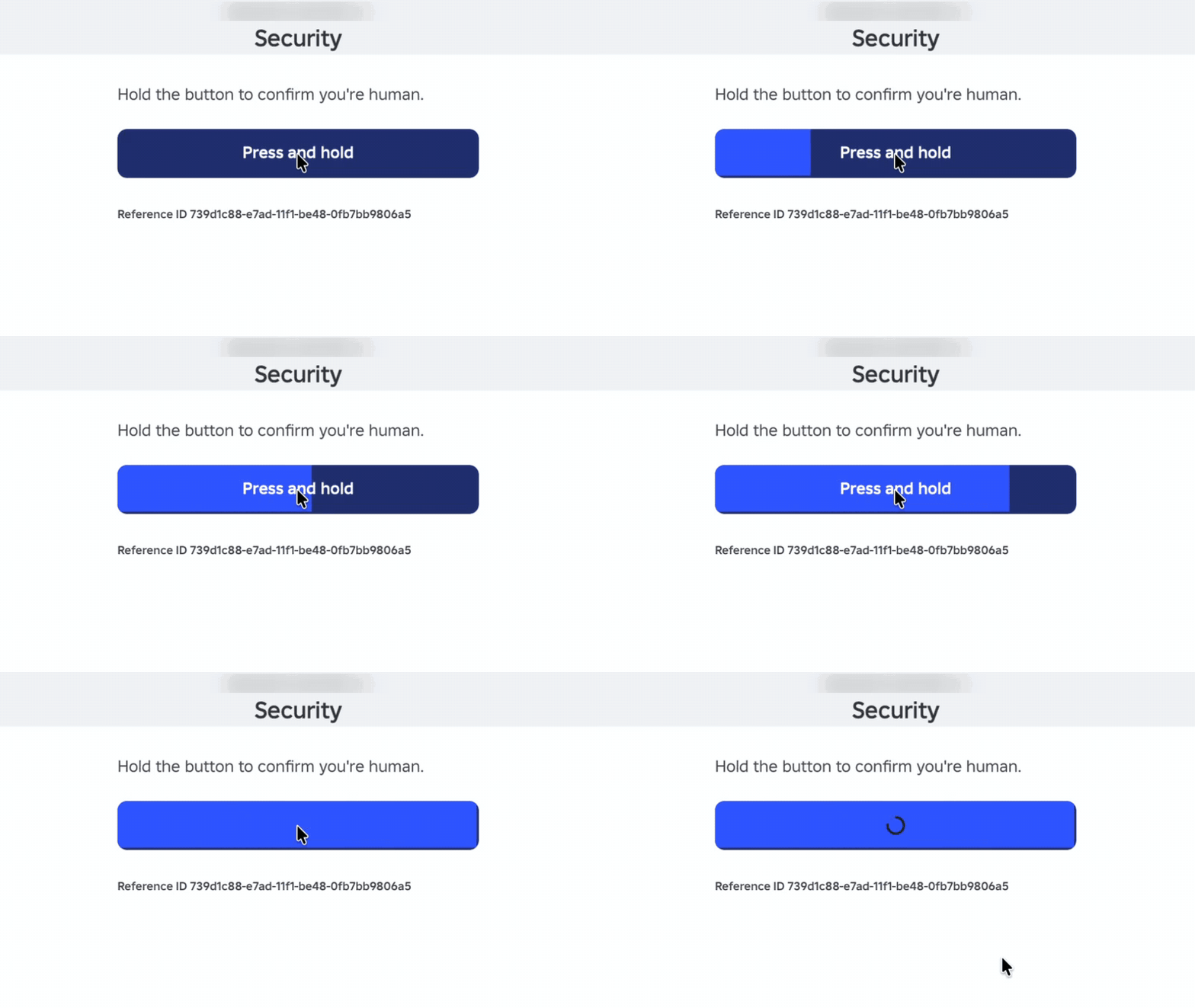
Not every account gets it. On the login, Roblox picks the challenge per username mostly, not per IP: some accounts get the PX press and hold (captchav2), others get Arkose (captcha slowly getting totally replaced), and a clean one just logs in. On joins it's some flagged accounts, a clean account joins without seeing it.
What captchav2 means
captchav2 is how Roblox names this captcha. When Roblox wants the PerimeterX press and hold, the challenge comes back with rblx-challenge-type: captchav2, next to an rblx-challenge-id and a base64 rblx-challenge-metadata. On the login you see it after the proof of work, when /challenge/v1/continue says the next step is captchav2. On a game join it's the first answer from join-game. Arkose shows up as captcha instead, so if your script sees captchav2, it's PX and this guide is the one you need.
How the press and hold works
The button is the easy part. Behind it the PX sensor runs in the page, reads the browser, records how you move and press, run a complex VM for fingerprinting you, and posts all of it encrypted to PX's collector. PX scores the whole session: the browser, the timing of the press, the IP, and the cookies it set before the captcha even showed up.
That's why clicking the button in Selenium goes nowhere. The press is one signal out of many, and PX already made up its mind about the session before you touched it.
The block
You don't get the captcha from a page, you get it from an API answer. When Roblox wants one, POST https://apis.roblox.com/v2/captcha answers 403 with this:
{
    "appId": "PXbf8PROpW",
    "jsClientSrc": "https://client.perimeterx.net/PXbf8PROpW/main.min.js",
    "vid": "8a5c1f20-...",
    "uuid": "3b0e7d44-...",
    "hostUrl": "https://collector-PXbf8PROpW.perimeterx.net",
    "blockScript": "https://captcha.px-cdn.net/PXbf8PROpW/captcha.js?a=c&u=...&v=...&m=0&b=...",
    "altBlockScript": "https://captcha.px-cloud.net/PXbf8PROpW/captcha.js?a=c&u=...&v=...&m=0&b=..."
}
That's the block. Its vid and uuid name the session and the captcha, and together with the _px3, _pxvid and pxcts cookies it's everything a solver needs.
You'll see this block when contacting https://gamejoin.roblox.com/v1/join-game or https://auth.roblox.com/v2/login.
The verdict
PX answers the press with a status. 0 is accepted and comes with fresh PX cookies, -1 is refused (the actual response from px is encrypted). A refused press spends the challenge, so you start over with a new one.
Sometimes there's nothing to press at all. When PX trusts the session it waives the captcha, and /v2/captcha answers 200 with the redemption_token right away. At some points it happened on about half of our runs, so handle it as a normal path, not an error.
One more thing about the block: ask /v2/captcha again for the same challenge and you get the same block back. It doesn't hand you a fresh captcha, a refused press needs a new challenge / session.
The login flow
If you see this on roblox.com/login after submitting the credentials, this is your flow:
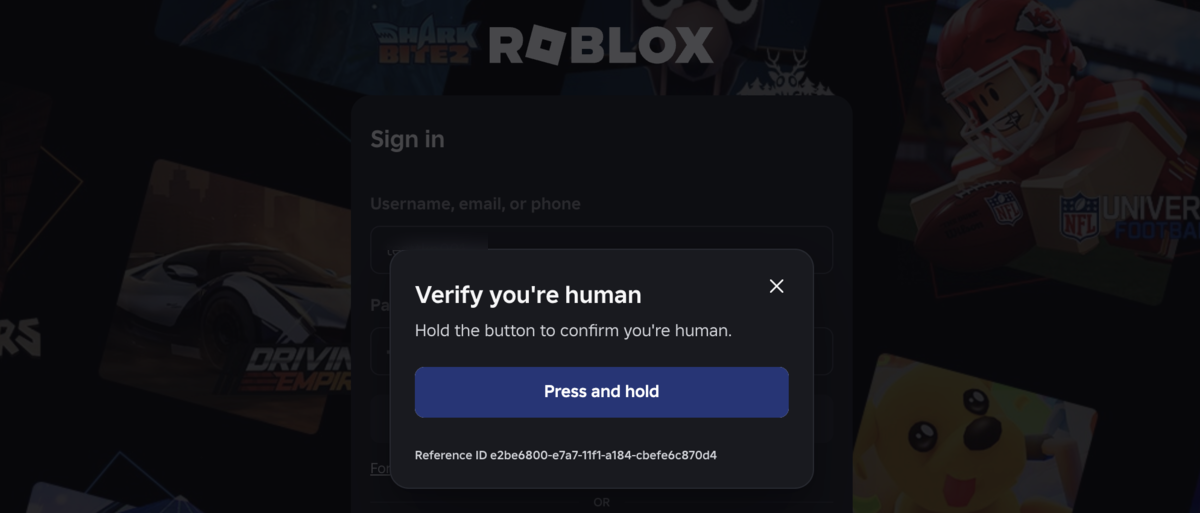
Here's the whole thing, on one curl_cffi session impersonating Chrome:
- Open the PX session on your proxy and set the PX cookies it gives you
- csrf, then the login POST, which answers with a proof of work
- Solve the PoW and post it,
continuesays the next step iscaptchav2 /v2/captchaanswers403with the block- Solve the press and wait for PX's verdict
- Redeem the new cookies for a
redemption_token,continue, and replay the login
The order matters more than it looks. Roblox only draws the captcha for a session that already carries PX cookies, so the PX session comes first. From there you have about 100 seconds to post the block, so don't park the session.
The secure auth intent
Every login POST carries a secureAuthenticationIntent. It's a P-256 key pair generated in the browser. The key signs publickey|timestamp|nonce, and the nonce comes from GET https://apis.roblox.com/hba-service/v1/getServerNonce:
signature_r, signature_s = decode_dss_signature(key.sign(f"{public_key}|{timestamp}|{nonce}".encode(), ec.ECDSA(hashes.SHA256())))
saiSignature = base64.b64encode(signature_r.to_bytes(32, "big") + signature_s.to_bytes(32, "big")).decode()
The signature is the raw r||s pair, not the DER blob Python gives you. The nonce is single use, so the replay at the end fetches a new one and signs again with the same key.
The proof of work
Before the captcha, Roblox makes you do math. The first login answer is a 403 with rblx-challenge-type: proofofwork, a time-lock puzzle, A^(2^T) mod N, and Roblox picks T by how much it trusts the account. A normal login gets T=400000, under a second with gmpy2. Log the same account in too many times in an hour and we watched it climb to T=50000000, that's 50 million squarings.
Plain Python takes minutes on that. gmpy2 does it in about 9 seconds:
solution = gmpy2.powmod(gmpy2.mpz(A), gmpy2.mpz(1) << T, gmpy2.mpz(N))
Post it back, hand the redemptionToken to /challenge/v1/continue, and Roblox tells you the next step is captchav2. That's where PX comes in.
Solving and redeeming
You post the block and your PX cookies to the solver, wait for the verdict, and set the cookies it gives back:
solve = requests.post(
    "https://roblox.takionapi.tech/solve",
    headers={"x-api-key": api_key},
    json={
        "session_id": session_id,
        "block": block_response.json(),
        "cookies": px_cookies,
    },
).json()

# Keep polling till solved
result = requests.post(
    "https://roblox.takionapi.tech/result",
    headers={"x-api-key": api_key},
    json={
        "task_id": solve["task_id"],
        "wait": 20,
    },
).json()
# {"status": 0, "cookies": {"_px3": "...", "_pxvid": "...", ...}}
A solved press gives you PX cookies, not a token. Set them on .roblox.com and call /v2/captcha again with the same challenge_id. This time it answers 200 with a redemption_token.
Then two small traps. The token goes to /challenge/v1/continue as redemptionToken, camelCase, even though /v2/captcha returns it as redemption_token.
And the login replay keeps the first challenge type, proofofwork, in rblx-challenge-type, while rblx-challenge-metadata carries the captcha token in base64. Get either one wrong and the replay fails with nothing useful in the error.
The join flow
If the launcher opens this Security window when you hit Play, this is your flow:
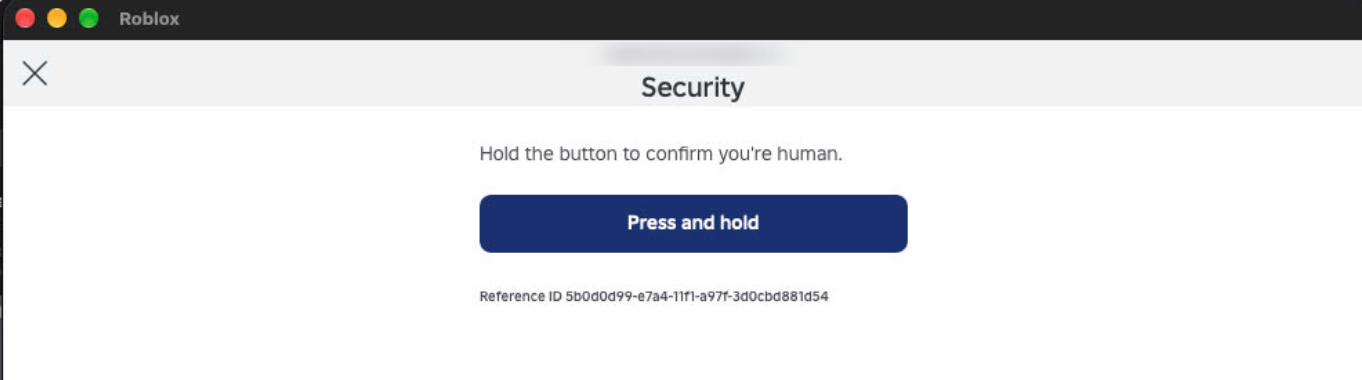
The join copies what the desktop app does:
join-gameanswers a flagged account with acaptchav2challenge- The launcher loads the challenge page and asks
/v2/captchafor the block - Solve the press with the block, the
challenge_idand the metadata - Redeem,
continue(unlessuseContinueModeisfalse) and replay the join
POST https://gamejoin.roblox.com/v1/join-game with the Roblox/DarwinRobloxApp user agent answers a flagged account with rblx-challenge-id, rblx-challenge-type: captchav2 and rblx-challenge-metadata. The launcher then loads the challenge page and asks /v2/captcha for the block, like the login does.
The challenge lives about 60 seconds from the join. On a slow, high latency proxy you'll hit an expired one, and /v2/captcha answers an empty 404.
The redeem works like the login, with one extra flag. The join metadata carries sharedParameters.useContinueMode. When it's false the launcher skips /challenge/v1/continue and replays the join right away. A replay that comes back with status: 2 is a server to join.
IP and proxy management
PX is strict on IP coherence. The cookies, the press and your next request have to come from one IP:
- Sticky sessions, the exit can't change between the PX session, the solve and the redeem
- Fresh line per attempt, a refused press on a dirty IP repeats on the same IP
- The join stays put, the
.ROBLOSECURITYcookie is tied to the IP it's used from, so retry on the same proxy
Residential and mobile proxies both work. Stickiness matters more than the type: a rotating gateway that hops IPs mid-flow is behind most failures, and the API tells you with a proxy_error, same happens with high-latency proxy, taking too much to return data and thenfore making the challenge expiring.
If you ar eunsure about the proxy to use contact us
What we measured
Numbers from our own runs on 2026-11-23 and 2026-11-24, on the open-source examples:
| What | Result |
|---|---|
| Press accepted by PX, login | about 90% per attempt, runned under mobile ipv4 proxies with EU exits |
Solve time, /solve to verdict |
about 11 to 20 s on login, 36 to 66 s on join, it depends on how much time Perimeter-X wants you to keep the button pressedn. |
| A whole login run, PoW and replay included | about 50 to 100 s |
| Attempts | most logins clear on the first, the examples retry up to 3 times with a new captcha each |
| PoW | T=400000 normally, T=50000000 after many logins in a short time |
And most importantly, PX ships a new Roblox script often hourly.
Over those two days a new one landed about every hour. That's the real cost of doing this yourself, keeping everything always up to date and scalable.
The working example
Everything above is open source in roblox-captchav2-bypass, three scripts in Python:
git clone https://github.com/glizzykingdreko/roblox-captchav2-bypass.git
cd roblox-captchav2-bypass
pip install -r requirements.txt
python roblox_login.py --username your_user --password 'yourpass'
python roblox_join.py --cookie '_|WARNING:-DO-NOT-SHARE-THIS...'
python roblox_login_join.py
The API never sees your account. The username, the password and .ROBLOSECURITY stay in your script, the only things you send are your proxy, the PX block and the PX cookies. Every Roblox request runs on your side.
How do I bypass the Roblox press and hold captcha?
Open a PerimeterX session on your proxy before the login, take the 403 block that apis.roblox.com/v2/captcha returns, get a press PX accepts, then call /v2/captcha again with the solved PX cookies to get the redemption_token. Pass it to /challenge/v1/continue and replay the original request. A working example is open source at github.com/glizzykingdreko/roblox-captchav2-bypass.
What is captchav2 on Roblox?
captchav2 is the value Roblox puts in the rblx-challenge-type header when it wants the PerimeterX press and hold, on the login (after the proof of work) and on game joins. Arkose comes as captcha instead. To clear a captchav2 you get the PX block from /v2/captcha, have the press accepted, redeem it for a redemption_token and replay the request with the same challenge id.
Why does Roblox ask me to "Verify you're human" when I log in?
Roblox decides the challenge per account. Some get a PerimeterX press and hold, some get Arkose, and a clean account usually logs in without either. The press and hold comes after a proof of work challenge.
Why does the Roblox launcher open a Security window when I join a game?
The join request came back with a captchav2 challenge, so the launcher opens the PerimeterX press and hold before it lets you in. Only flagged accounts get it.
Can I solve the Roblox captcha with Selenium?
PX scores the whole session: the browser, the timing of the press, the IP and the cookies it set earlier. If the session already reads as automated, a perfect press doesn't save it. Clicking the button is the last one of the problems.
Why does /v2/captcha return an empty 404 on a game join?
The challenge expired. It lives about 60 seconds from the join, and a slow proxy burns that time. Start over with a new join.
Why does the Roblox proof of work take so long?
Roblox raises T with account risk. A normal login gets T=400000, after many logins in an hour it can reach T=50000000, 50 million modular squarings. Plain Python pow takes minutes on that, gmpy2.powmod does it in about 9 seconds.
How often does PerimeterX update the Roblox captcha?
Often hourly. On 2026-11-23 and 2026-11-24 PX shipped a new Roblox script about every hour. The Roblox side of the flow barely changes, the sensor behind the button is what keeps moving.
Which proxies work for the Roblox captcha?
Residential and mobile both work. What matters is a sticky IP: the PX session, the press, the redeem and the replay have to come from one exit, and .ROBLOSECURITY stays tied to the IP it was issued on.
Conclusion
Roblox is a nice case study in stacking challenges. A signed login, a proof of work scaled to how much they trust you, then a PX captcha on top, and the join gets its own version on a 60 second timer. Each layer is simple, the work is keeping them in the right order on one session.
Need help with antibots?
TakionAPI solves the Roblox press and hold on login and join, and the same key clears DataDome, Akamai, Castle, Incapsula, Cloudflare and the rest of PerimeterX. Start a free trial or talk to us about your flow.
Connect with me
Sources
- roblox-captchav2-bypass, the login and join in Python
- walmart-px-bypass, PerimeterX and its hold captcha on a retail target
- PerimeterX bypass, the API
Sautez l'étape de la rétro-ingénierie.
Takion renvoie des cookies, en-têtes et tokens frais pour tous les grands murs antibot. Un seul POST, aucun navigateur, premier appel dans l'heure.